Experience
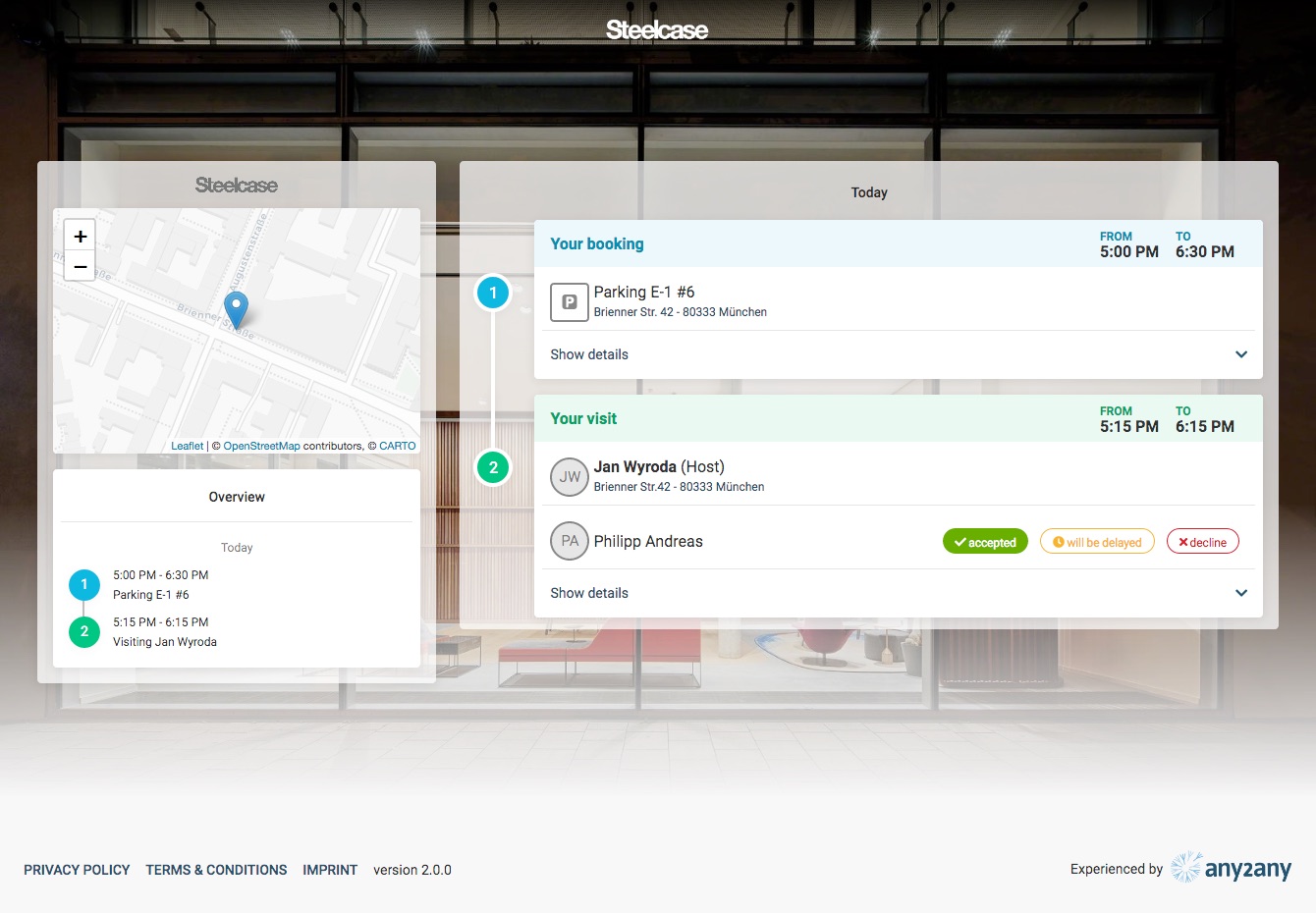
An experience represents a summary view of all relevant information belonging to your booking or to your visit along with all its attached bookings.
Experience overview
The full experience overview can be reached by clicking on the “details” button of any summarised experience in the dashboard view, or by clicking the “View Full Experience Overview” button displayed on the invitation email send to visitors/attendees.
Visitors can accept or decline their visit or simply inform the host that they are delayed directly from the experience overview.
Additional information can be seen by clicking on the “Show details” bars below each booking or visit.
Booking
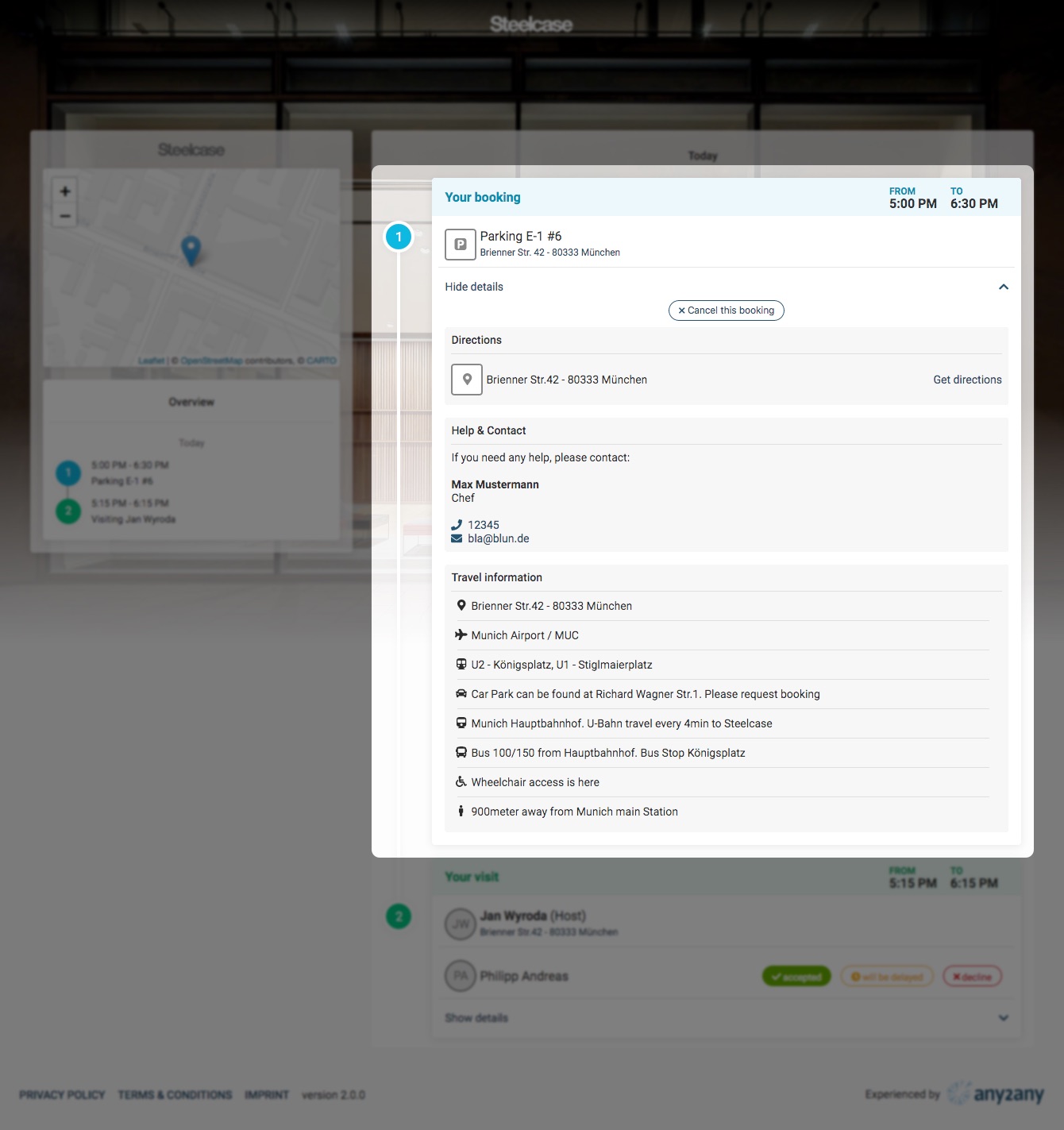
The detailed booking view offers the option to cancel the booking as well as the following additional information, if available:
- Directions
- Access information for the booked resource
- Contact information
- Travel information
Visit
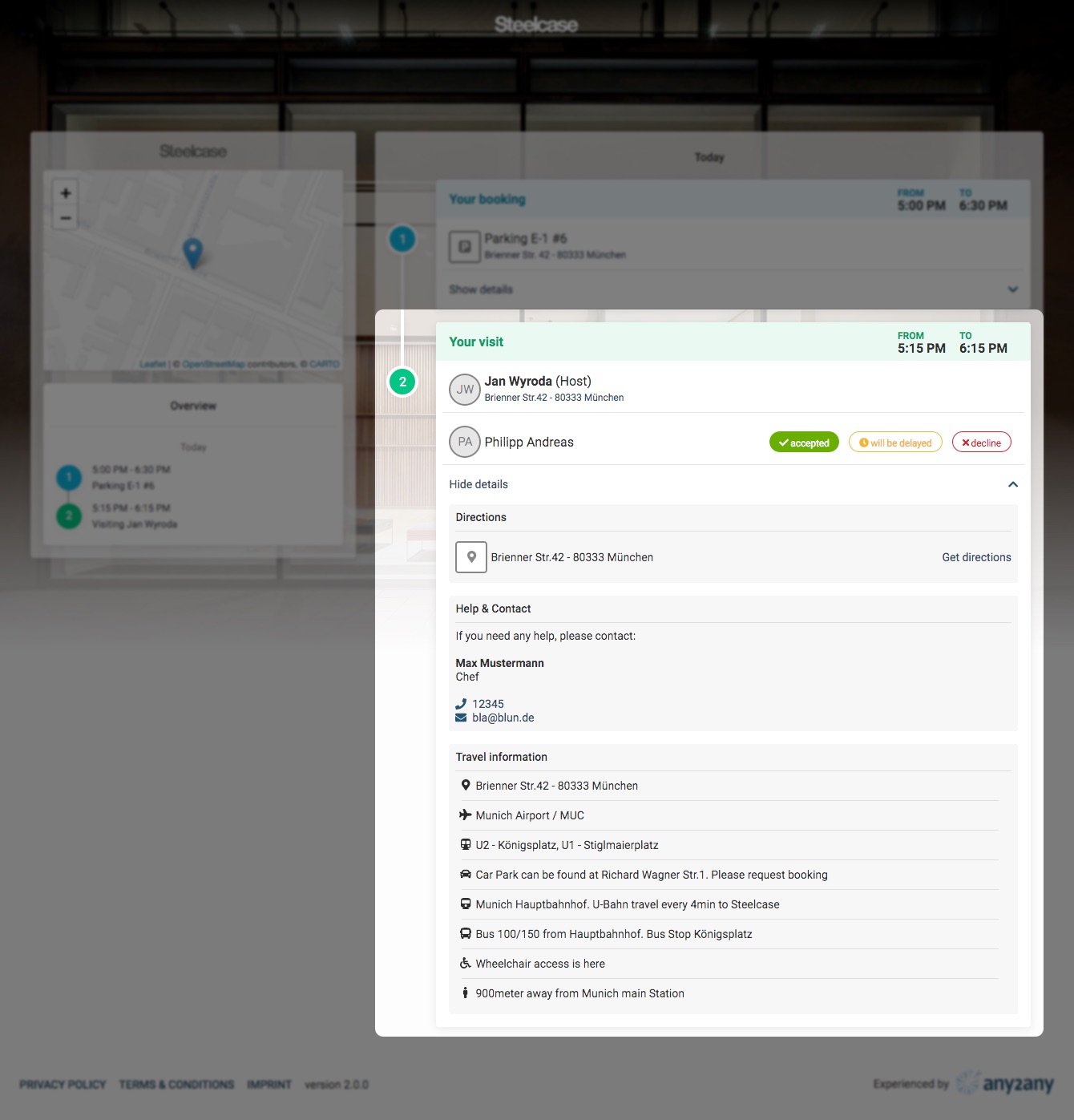
The detailed visit view offers the following additional information, if available:
- Directions
- Access information for the booked resource
- Contact information
- Travel information